Organize Your Mug Business with Editable Canva Templates
A Complete System for Professional Order Management
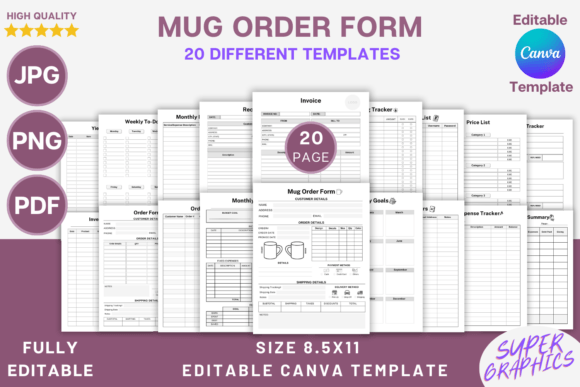
Running a custom mug business requires more than just creative designs and quality printing. You need organized systems to track orders, manage inventory, handle finances, and maintain professional communication with customers. The Editable Mug Order Form Canva Template provides exactly that foundation—a comprehensive set of 20 different business templates designed specifically for mug entrepreneurs and small business owners.
This printable system goes far beyond a simple order form. It includes everything from customer tracking sheets and price lists to monthly budget planners and financial summaries. Each template is fully editable in Canva, which means you can customize fonts, colors, sizes, and layouts without any design experience. Whether you're just starting your mug business or looking to streamline existing operations, these templates give you the organizational backbone every successful business needs.
What Makes This Template Collection Stand Out
The visual design of these templates strikes a practical balance between professional appearance and functional clarity. Each page uses clean layouts with adequate white space, making information easy to read at a glance. The typography choices prioritize legibility—important when you're quickly scanning order details or checking inventory numbers during a busy production day.
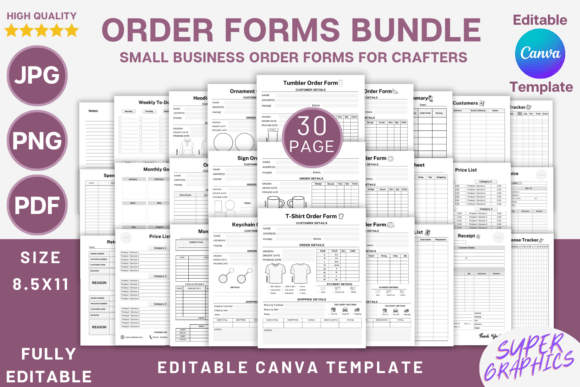
What really sets this collection apart is its comprehensiveness. You're not just getting an order form. The package includes a dedicated Mug Order Form, general Order Form, Order Tracker, Return Tracker, and Invoice templates. For financial management, there's an Expense Tracker, Monthly Expense Tracker, Monthly Budget, Spending Tracker, and Financial Summary. Operational templates cover Inventory Sheet, Yield Tracker, and Resource List. You even get planning tools like Monthly Goals, Weekly To Do List, and Notes pages.
The trim size of 8.5 x 11 inches works perfectly for standard printing, and the 300 DPI resolution ensures crisp text whether you print at home or use a professional print shop. Files come in multiple formats—editable Canva template links, PDF files, JPG, and PNG—giving you flexibility in how you use and distribute these materials.
Practical Applications for Different Business Models
Custom mug businesses come in many forms, and these templates adapt well to each one. If you run a print-on-demand operation, the Order Tracker and Inventory Sheet become essential for monitoring which designs sell best and when to reorder blank mugs. Handmade mug creators will find the Yield Tracker particularly useful for calculating actual production costs versus selling prices.
For those selling through multiple channels—Etsy, local craft fairs, wholesale to retail shops—the Order Form and Invoice templates help maintain consistent branding across all customer touchpoints. Add your logo, adjust the color scheme to match your brand identity, and every piece of paperwork reinforces your professional image.
The Price List templates (two versions included) work well for different scenarios. Use one for retail pricing and another for wholesale accounts. Or create separate price lists for different product categories—standard mugs, oversized mugs, travel mugs, and specialty items. Since everything is editable in Canva, updating prices takes just a few clicks.
Customization That Actually Works
Many template collections promise customization but deliver frustration. This one genuinely delivers because Canva's interface makes editing accessible to everyone. You can swap fonts to match your brand typography, adjust colors using hex codes or the color picker, resize elements, and add your own decorative touches. The instruction to "add lines, checkboxes, squares, or anything else" isn't just marketing copy—it's practical guidance for tailoring each template to your specific workflow.
Consider how you might customize the Weekly To Do List template. Perhaps you need sections for "Design New Artwork," "Fulfill Orders," "Update Listings," and "Social Media Posts." You can add those categories, include checkboxes, and even add small icon graphics from Canva's library. The Monthly Goals page becomes your business roadmap when you fill it with specific revenue targets, new product launches, and marketing milestones.
The Customers template deserves special attention. Building a customer database—even a simple one—transforms one-time buyers into repeat customers. Track names, contact information, order history, and preferences. When someone orders a custom wedding mug, note the occasion. Six months later, you might reach out about anniversary gifts or bridesmaid proposals.
Building Professional Credibility
First impressions matter in business, and organized paperwork signals professionalism to customers and partners alike. When a wholesale buyer requests a price list, sending a polished, branded document builds confidence in your operation. When you need to track expenses for tax purposes, having everything organized in dedicated templates saves hours of scrambling at year-end.
The Receipt template alone justifies keeping this system handy. Every sale deserves proper documentation—for your records and your customers' peace of mind. Combined with the Invoice template, you have a complete sales documentation system that handles everything from initial quotes to final payments.
Small business owners often underestimate how much time disorganization costs. Searching through emails for order details, recreating price lists from memory, or manually calculating monthly expenses adds up quickly. These templates create repeatable systems that save time every single week.
Getting Started with Your Template Collection
After purchase, you'll download a file containing links to the Canva templates. Click each link to open it directly in your Canva account—free accounts work fine for basic editing, though Canva Pro unlocks additional features like brand kit storage and magic resize. For best results, create an additional copy of each template before making changes, preserving the original as a clean starting point for future use.
Start with the templates you'll use most frequently. For most mug businesses, that means the Order Form, Order Tracker, and Inventory Sheet first. Get comfortable with how they work, customize them to your liking, then expand to financial tracking and goal planning templates as your business grows.
Print multiple copies of your most-used forms and keep them accessible in your workspace. Having a physical Mug Order Form ready when customers call saves time and prevents errors. Digital versions work perfectly for email communication and online record-keeping. The beauty of having both PDF and image file formats means you can choose what works best for each situation.
This template collection represents the kind of practical business tool that separates hobbyists from professionals. It won't design your mugs or market your business, but it will keep every other aspect of your operation organized, documented, and running smoothly. For any mug business owner serious about growth and professionalism, that organizational foundation makes everything else easier.